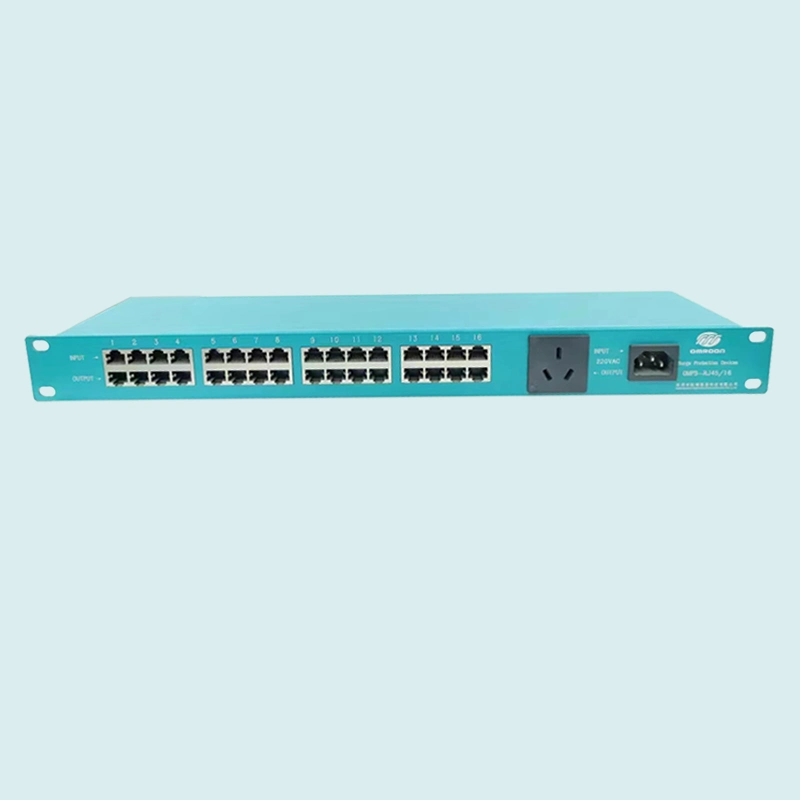
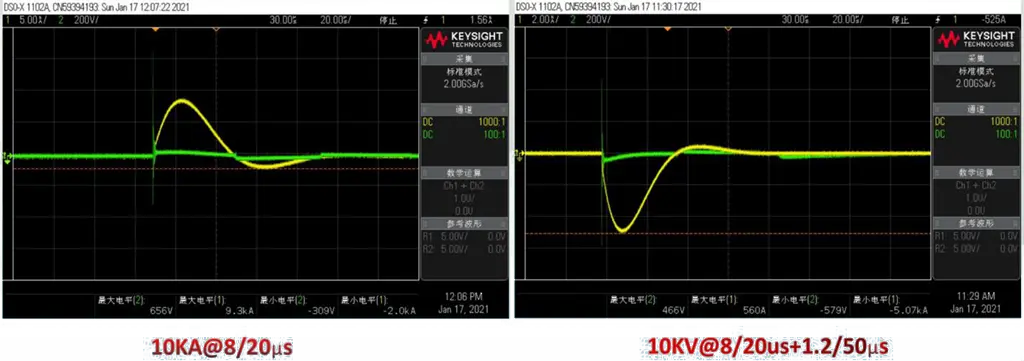
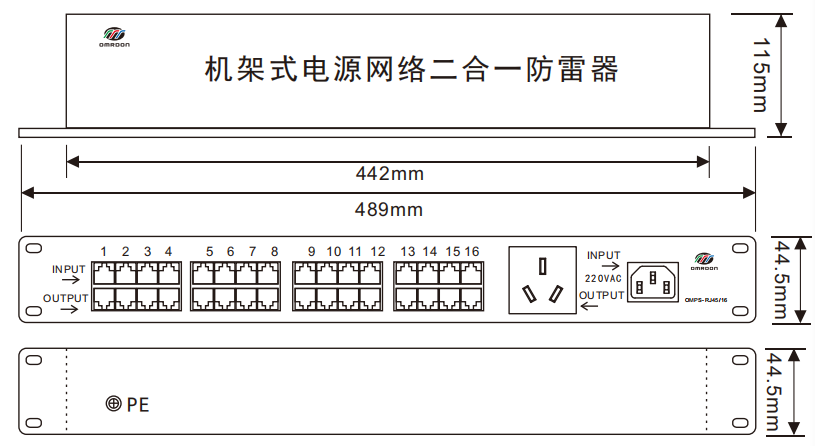
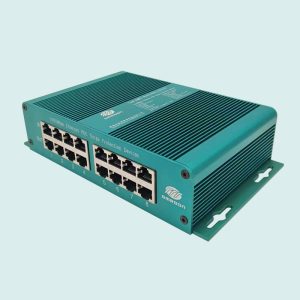
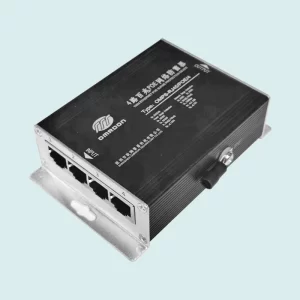
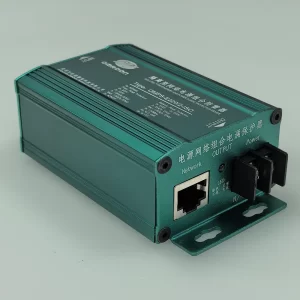
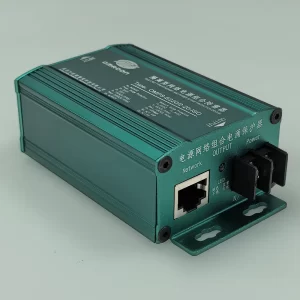
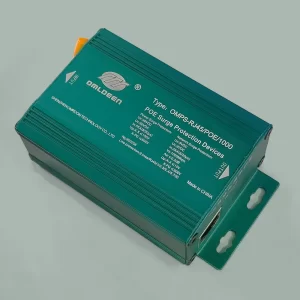
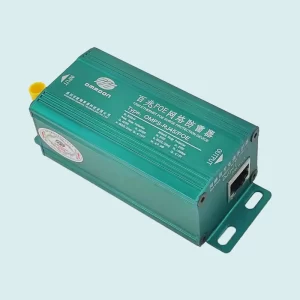
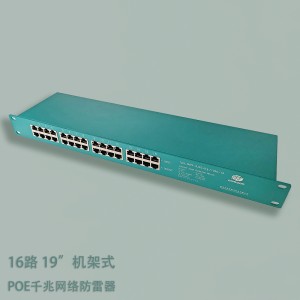
OMRDON (OMRDON) rack-mounted power network two-in-one surge protector is based on the IEC and GB standard design and manufacturing, while meeting the requirements of IEEE802.3AT, applicable to network servers, wireless AP, network cameras, network switches and other communications equipment, power supply, network signal line surge protection, integrated design, the standard 19″ rack, easy to install.
The product is encapsulated in a shielded case with built-in high quality high-speed over-voltage protection devices, which provides efficient protection and defense against lightning high-voltage pulses induced on the network lines.
Functional Features::
Adopt compound symmetric secondary protection circuit, coarse and fine full protection, low residual voltage level and good protection effect.
Metal shielded enclosure for superior performance.
With clutter isolation function, isolate the interference signal, enhance the signal transmission rate, especially suitable for long distance network transmission.
The core components are selected from international famous brand products with excellent performance.
With 2-in-1 integrated design.
Standard 19″ rack, easy to install and use, no need for maintenance
typical application::
CCTV Video Surveillance Camera
network switch
router (computing)
laptops
server (computer)
Product Parameters
Name
8-channel 100Mbps Network Lightning Protector
Model
OMPS-RJ45/16
Order No
800363
SPD category
Composite Lightning Protector
SPD function
With isolation, voltage limiting and current limiting functions
Line category
power supply
reticulation
Nominal operating voltage Nominal operating voltage (Un)
220VDC
5VDC
Maximum Continuous Operating Voltage(Uc)
385VDC
8VDC
Maximum discharge current nominal discharge current (In)
1, lightning protection can be installed in the LPZ0-1 zone or directly in series installed in the front end of the protected equipment (or system), installation from the protected equipment (or system) the closer the better.
2, the lightning protector input (INPUT) connected to the signal line, the output (OUTPUT) connected to the protected equipment, can not be reversed.
3, the PE wire of the lightning protector must be strictly equipotential connection with the lightning protection system ground, otherwise it will affect the working performance.
4. The lightning protector is grounded with the shortest possible line connection. The lightning protector grounding using the terminal grounding method, the ground wire must be connected to the lightning ground (grounding resistance value is not greater than 4 ohms). The shielded wire of the signal can be directly connected to the grounding terminal.
5, the lightning protector is installed under the conditions that do not exceed the requirements is not required long-term maintenance, only the system routine maintenance; such as in the process of use, signal transmission problems, change the lightning protector after the signal transmission back to normal, indicating that the lightning protector has been damaged, need to be repaired or replaced.
With iPad, you get what you need from a computer, along with many incredible things you'd never expect from one. Here are a few reasons why your next computer just might be an iPad. iPad features advanced, Apple-designed chips like the A12X Bionic with Neural Engine in iPad Pro. These chips transform how you experience photos, gaming, and augmented reality. They also make iPad powerful enough to handle the apps you use every day. And even pro apps like Adobe Photoshop CC.
iPad-Pro
And all that power really travels. iPad is incredibly thin and so light you can carry it with you everywhere. And it has up to 10 hours of battery life to keep you going all day.1 Stay connected on the go with fast Wi-Fi and up to Gigabit-class LTE.2 You can even print, project, and send files wirelessly.
iPad does what a computer does, but in more intuitive ways. Use multiple apps at the same time with a few taps. Move objects between apps simply by dragging and dropping, or switch apps with a single swipe.
And it works like your iPhone, so it's familiar to use. iPad runs iOS, so it does all the things your iPhone does, as well as things only iPad can do. And odds are you already know how to use it. Just tap, swipe, pinch, and zoom. Just tap, swipe, pinch, and zoom. iPad works with a keyboard when you need one. The onscreen keyboard lets you respond to an email or write a paper, and it even acts as a trackpad. And if you want a physical keyboard, just attach the Smart keyboard for a great typing experience that also doubles as a cover or easily pairs with a Bluetooth keyboard. Keyboard for a great typing experience that also doubles as a cover or easily pair a Bluetooth keyboard.
Q: When will you arrange the production?A. We usually arrange the production immediately after receiving your payment if we have the item in stock. Otherwise, please confirm with us for lead time. Q: What is your accepted payment type?A. Wire transfer, Paypal and Western Union, and Alibaba Trade Assurance.We only accept Paypal and Western Union, and Alibaba Trade Assurance for payment We only accept Paypal and Western Union, and Alibaba Trade Assurance for payment amounts below USD400. Q: What logistic forwarder do you usually work with?A. We work with EMS, TNT, UPS, FEDEX and other logistric forwarders. Assigned your own forwarder for shipment is available. Q: What if the Wireless Charging Bundle is not charging my device(s)? A. 1. Check to ensure that your device is Qi-compliant. 2. Check to ensure that the AC adapter you're using with the Wireless Charging Bundle has an output of 2A or more. 3. Check to ensure that you are placing your phone on the center of Wireless Charging Bundle. Check to ensure that the AC adapter you're using with the Wireless Charging Bundle has an output of 2A or more. 3. Check to ensure that you are placing your phone on the center of Wireless Charging Bundle. 4. Check to ensure that the phone is not in a 5mm or thicker case when charging. 5. Check to ensure that the phone is not in a 5mm or thicker case when charging. 5. Check to ensure that there is no metal obstruction on the back of the phone/phone case, or credit cards inside the case. 6. Wireless Charging Bundle's cable may be faulty. Try using a different cable. 7. Restart your phone. If the problem persists, please email us at to claim your 18-month charge. If the problem persists, please email us at support@anker.com to claim your 18-month warranty. Request sent to owner. Q: How does the Wireless Charging Bundle charging speed compare to a traditional wired charger?A. It depends on your device, but wireless charging generally charges at a slower rate. Q: What is the Wireless Charging Bundle charging speed?A. Charging speed varies depending on the device. You can expect a maximum charge current of 1A. Q: What kind of AC adapter should I use with Wireless Charging Bundle?A. Make sure that the AC adapter that you use has a minimum output of 2A, otherwise your devices may not charge properly. Q: Can I use a different USB cable instead of the cable that comes with Wireless Charging Bundle?A. Yes, other Micro USB cables can be used, but to ensure the utmost safety and performance, we strongly recommend using your device's original cable (OEM) to charge your devices with the Wireless Charging Bundle.
 Omrdon Technology